Quotation Generator for Service Business: Create Professional Estimates in Seconds

Srijan Mahajan
Jan 11, 2026
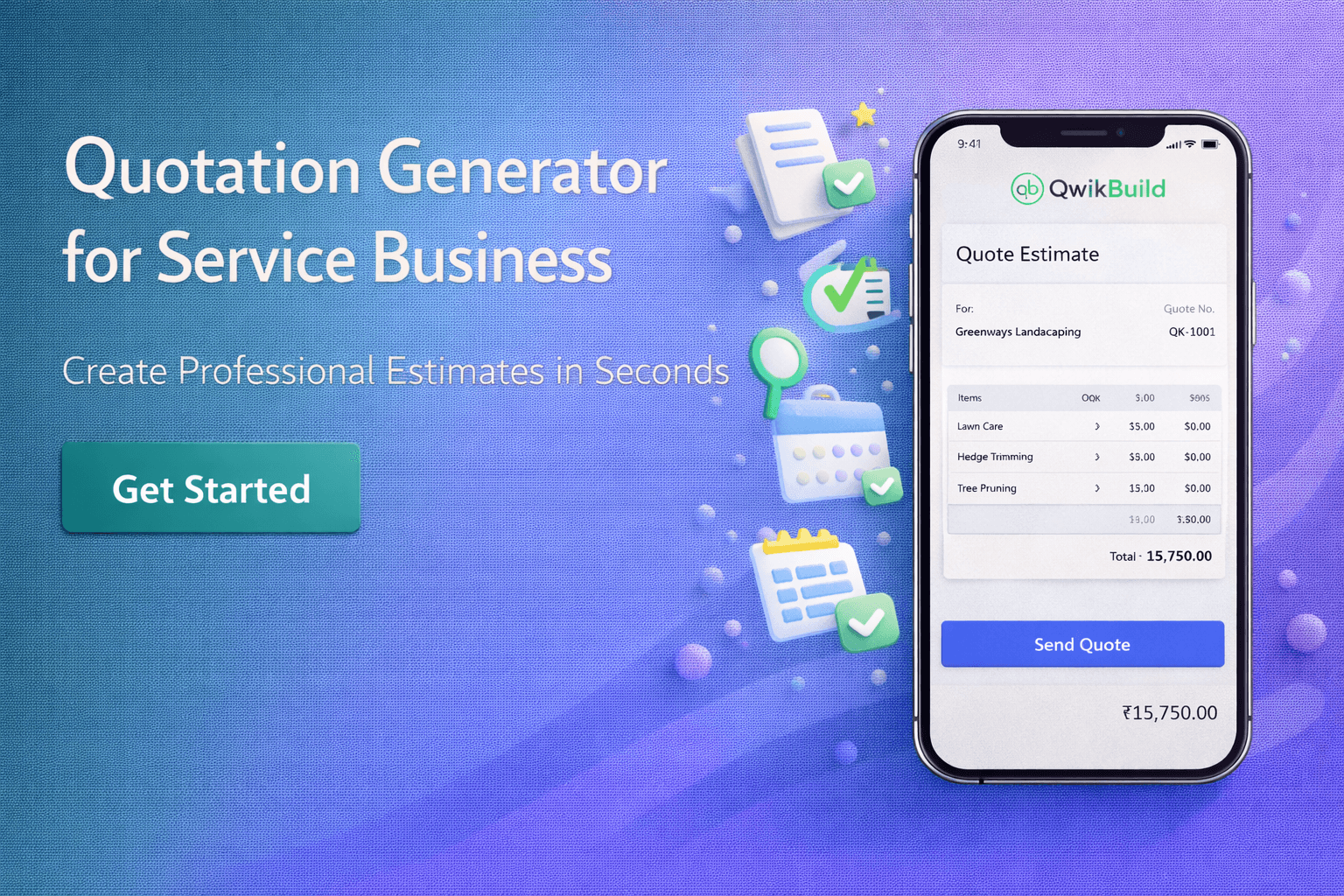
TL;DR: A quotation generator automates the process of creating price estimates for your service business. Instead of manually typing out rates, taxes, and terms every time, you fill in a few fields and get a branded PDF in under 2 minutes. Free options exist, but they're limited. Paid tools like QwikBuild (₹499/month) let you build a custom quotation system from your phone without any coding.
What Is a Quotation Generator and Why Do You Need One?
A quotation generator is a tool that creates professional price estimates automatically. You enter your services, rates, and client details once. The tool calculates totals, adds taxes, applies your branding, and produces a PDF you can share instantly.
Small business owners in India spend an average of 16 hours per week on administrative tasks like invoicing, data entry, and creating quotes. That's two full working days lost every week. For a physiotherapist in Pune or a wedding photographer in Chennai, those hours could be spent with clients instead.
Here's the problem with typing quotes manually: it's slow, error-prone, and looks unprofessional. A handwritten WhatsApp message saying "Sir, total will be ₹15,000 for full service" doesn't inspire confidence. But a branded PDF with itemized services, GST breakdown, and clear terms does.
The quotation software market was valued at $2.89 billion in 2024 and is expected to reach $6 billion by 2031. This growth isn't because large enterprises suddenly discovered invoices. It's because small service businesses realized that professional quotes win more clients.
How Does a Quotation Generator Actually Work?
The process is straightforward. You set up your services and pricing once. When a client asks for a quote, you select the relevant items, enter the client's name, and hit generate. The tool does the math and formats everything.
Most quotation generators follow this flow: you create a service catalog with descriptions and rates, then add a client's information when they inquire. The tool pulls together a professional document with your logo, contact details, itemized pricing, taxes, and terms. Some tools also let clients accept quotes digitally by clicking a button.
For a makeup artist handling bridal bookings in Mumbai, this means no more calculating base rate + travel + early morning charges + assistant fees manually. Enter the components, and the quote is ready.
The real time savings come from templates. Once you've created a quote for "Bridal Makeup Package - Premium," you can reuse it for the next 50 brides. Just change the client name and date.
What Should a Good Quotation Generator Include?
Not all quotation tools are equal. Here's what actually matters for service businesses.
Itemized Service Breakdown
Your quote should show exactly what the client is paying for. A dentist's quote for a root canal should list: consultation, X-ray, anesthesia, procedure, crown, and follow-up visits separately. This transparency builds trust and reduces disputes.
Automatic Tax Calculation
GST calculations are non-negotiable for registered businesses. A good tool automatically applies 18% (or your applicable rate) and shows the breakdown. No more manual multiplication errors.
Branding and Professional Design
Your quotation is often the first formal document a client receives from your business. It needs to look professional. This means your logo, business name, address, and contact details prominently displayed. Research shows that a well-formatted quotation creates a positive first impression and influences whether clients proceed.
Validity Period
Quotes should expire. A photographer's quote from January shouldn't be valid in December when costs have changed. Include a clear "valid until" date.
Terms and Conditions
Payment terms, cancellation policy, and scope of work protect both you and the client. A good generator lets you add these as standard footer text.
PDF Export and Easy Sharing
The final quote should be exportable as a PDF that can be shared via WhatsApp, email, or printed. PDF format opens on virtually any device.
How Much Time Can You Actually Save?
The numbers are clear. Businesses using quotation software produce quotes 73% faster than those using manual methods. For a CA firm in Bangalore handling 20+ quote requests weekly, that's hours saved.
Here's a realistic comparison:
Task | Manual Process | With Quotation Generator |
Creating a new quote | 15-20 minutes | 2-3 minutes |
Modifying an existing quote | 10-15 minutes | 1-2 minutes |
Calculating taxes | 3-5 minutes (prone to errors) | Automatic |
Following up on quotes | Manually track in notebook | Built-in reminders |
A survey found that 44% of entrepreneurs create invoices and quotes weekly. If each quote takes 15 minutes manually, that's over 10 hours monthly just on paperwork.
Will Professional Quotes Actually Help You Win More Clients?
Yes. And the data supports this.
Research shows that 78% of buyers go with the first business that responds to their inquiry. If you can send a professional quote within minutes while your competitor is still typing on WhatsApp, you've already won the race.
The average proposal win rate across industries is 47%. But speed matters tremendously. Studies indicate that 35-50% of deals go to the vendor who responds first. Clients ideally want quotes within one day, but the average delivery time is closer to three days. Responding same-day with a professional document puts you ahead.
A tax consultant in Hyderabad competing for an NRI client's business has a window of hours, not days. The client has likely messaged five consultants. Whoever replies with a clear, professional quote first is most likely to get the work.
Beyond speed, professionalism matters. A detailed quotation with itemized services, clear terms, and professional formatting signals that you're organized and reliable. This is especially true when decision-makers beyond the initial contact person will review your quote.
What Are Your Options for Building a Quotation Generator?
Let's look at the realistic choices for small service businesses in India.
Option 1: Manual Templates (Free but Limited)
You can create a Word or Excel template and fill it in manually each time. Free template sites offer dozens of layouts.
Pros: No cost, complete control over format.
Cons: Time-consuming, error-prone, no automatic calculations, difficult to track and follow up.
This works if you send fewer than 5 quotes monthly. Beyond that, it becomes a drain.
Option 2: Accounting Software with Quoting Features
Tools like Zoho Invoice, Refrens, and Razorpay offer quotation features alongside their core invoicing.
Pros: Professional output, tax calculations, some free tiers available.
Cons: Often bundled with features you don't need, learning curve, may require computer access for full functionality.
Pricing typically starts at ₹200-500/month for basic plans.
Option 3: Build a Custom Quotation Tool with QwikBuild
QwikBuild takes a different approach. Instead of giving you a pre-built template, it lets you create your own quotation system tailored to your specific services.
Here's how it works: You describe what you need via WhatsApp. Something like "I need a quotation generator for my interior design business with options for modular kitchen, bedroom design, and consultation." QwikBuild creates a custom tool you can use and share.
The differentiators:
WhatsApp-native: Build and use without leaving WhatsApp
Mobile-first: No computer needed, everything works on your phone
No technical skills required: Describe what you want in plain Hindi or English
Affordable: ₹499/month for basic, ₹999/month for advanced features
For a mehendi artist in Delhi handling wedding season rushes, this means a custom quote form that clients can fill out with their event date, design complexity, and number of guests. The tool automatically generates pricing based on her rate structure.
Option 4: Enterprise CPQ Software
Configure-Price-Quote (CPQ) tools like Salesforce CPQ and DealHub are designed for large sales teams with complex pricing.
Pros: Extremely powerful, handles complex pricing rules, integrates with CRM systems.
Cons: Overkill for small businesses, expensive (typically ₹5,000+/month per user), steep learning curve.
Unless you have a sales team of 10+ people, skip these.
How Do You Create Effective Quotes That Convert?
Having a tool isn't enough. The content matters.
Lead with Value, Not Price
Start with what the client gets, not what they pay. A personal trainer's quote should lead with "12-week body transformation program including customized workout plans, weekly progress tracking, and nutrition guidance" before listing ₹25,000.
Be Specific About Deliverables
Vague descriptions invite scope creep. Instead of "Website Development - ₹50,000," write:
5-page responsive website
Mobile-optimized design
Contact form with WhatsApp integration
3 rounds of revisions
30 days post-launch support
Include Optional Add-Ons
Let clients customize. A photographer's quote might show the base package plus optional add-ons for extra hours, second shooter, or same-day edits. This increases average deal size and gives clients control.
Make the Next Step Obvious
End with a clear call-to-action. "To proceed, simply reply 'Confirmed' to this message, and I'll send the payment link." Remove friction from the decision.
What Mistakes Should You Avoid in Your Quotations?
Not Setting an Expiry Date
Quotes without validity periods cause problems. Material costs change. Your schedule fills up. Always include "Valid until [date]."
Hidden Charges
If GST is extra, say so upfront. If travel charges apply beyond a certain distance, mention it. Surprises during payment destroy trust.
Overcomplicating the Format
A cluttered quote with 47 line items overwhelms clients. Group related services. A home cleaning service doesn't need to list "bathroom 1, bathroom 2, bathroom 3" separately. Just "3 bathrooms" suffices.
No Follow-Up System
A quote sent and forgotten is a quote lost. 27% of small business owners spend time chasing late payers and pending quotes. Build in a system to follow up after 3-5 days if you haven't heard back.
Generic Templates Without Personalization
"Dear Sir/Madam" lost its effectiveness in 1995. Use the client's name. Reference their specific project. "Hi Priya, here's the quote for your Goa destination wedding makeup" beats "Dear Customer, please find attached quotation."
Can You Use a Quotation Generator for Different Industries?
Absolutely. The core functionality adapts to various service businesses.
Healthcare & Wellness: A physiotherapist quotes for treatment packages. A dietitian quotes for monthly consultation programs.
Legal & Financial: A CA quotes for annual filing services. A lawyer quotes for property documentation.
Creative Services: An interior designer quotes for room makeovers. A photographer quotes for event coverage.
Home Services: A pest control service quotes for apartment treatment. An AC repair technician quotes for servicing.
Education: A music teacher quotes for monthly classes. A career coach quotes for interview preparation programs.
The structure remains consistent: itemized services, clear pricing, terms, and a professional format. Only the content changes.
How Do You Get Started Today?
If you're currently writing quotes manually or not providing written quotes at all, any systematic approach will be an improvement.
For businesses sending fewer than 5 quotes monthly, start with a simple Google Docs or Excel template. Get comfortable with a structured format.
For businesses sending 5-20 quotes monthly, explore free tiers of Zoho Invoice or Refrens. These provide professional output without major investment.
For businesses wanting a custom solution that works entirely from mobile, QwikBuild lets you build exactly what you need. Describe your requirements via WhatsApp, and you'll have a working quotation system within minutes.
The key is starting. Every manually typed quote is time you could spend serving clients or finding new ones.
Frequently Asked Questions
What is the difference between a quote and an estimate?
A quote is a fixed price commitment valid for a specific period. An estimate is an approximation that may change. For service businesses, quotes are generally preferred because they set clear expectations.
Is a quotation legally binding in India?
A quotation becomes binding once the client accepts it and you begin work. Before acceptance, either party can walk away. Include terms and conditions to protect yourself.
Can I create quotations on my phone?
Yes. Tools like QwikBuild are built specifically for mobile use. Most accounting software also has mobile apps, though functionality may be limited compared to desktop versions.
How long should a quote be valid?
For most service businesses, 7-30 days is reasonable. High-demand periods (wedding season for photographers, tax season for CAs) may warrant shorter validity.
Should I include GST in my quoted price?
Best practice is to show the base price and GST separately. This provides transparency and is required for proper invoicing if you're GST registered.
What if the client wants changes after I send the quote?
Revise the quote with updated line items. Most quotation tools make this easy. Track versions to avoid confusion.
How do I follow up on a sent quote without being pushy?
A simple message after 3-5 days works: "Hi [Name], just checking if you had any questions about the quote I sent for [project]. Happy to clarify anything."
Can I use a quotation generator for recurring services?
Yes. Create a template for the recurring service (monthly maintenance, quarterly filing, etc.) and generate fresh quotes as needed or convert to a subscription agreement.
What information must a quotation include in India?
At minimum: your business name and address, client details, itemized services with prices, total amount, GST details (if applicable), validity period, and payment terms.
How do I handle quotations in multiple currencies?
If you serve international clients, look for tools that support multiple currencies. QwikBuild and Zoho Invoice both handle this.
Should I send quotations as PDF or in the message body?
PDF is preferred. It's professional, consistent across devices, and can be saved or printed. The message body should summarize the quote and attach the PDF.
What's a good quotation conversion rate?
Industry averages vary, but 40-50% is considered healthy for service businesses. If you're below 30%, review your pricing, response time, or quote quality.
Can I automate quotation reminders?
Some tools offer automated follow-ups. If yours doesn't, set calendar reminders to manually follow up 3-5 days after sending.
How do I track which quotes converted to clients?
Maintain a simple spreadsheet or use a tool with built-in tracking. Record: date sent, client name, amount, status (pending/accepted/declined), and conversion date.
Is there a free quotation generator that works well?
Free options exist but typically limit features, number of quotes, or branding options. For serious use, budget ₹200-500/month. The time saved justifies the cost.
How do I make my quotations stand out?
Professional branding, quick response time, itemized breakdowns, and client testimonials or portfolio links in the accompanying message all help differentiate your quotes.
What if I offer services with variable pricing?
Include a range or note that final pricing depends on specific requirements after consultation. Alternatively, offer tiered packages with fixed pricing for clarity.
Should quotations include my terms and conditions?
Yes. At minimum, include payment terms, cancellation policy, and scope limitations. This prevents disputes and protects both parties.
Want to build this yourself?
QwikBuild lets you create a custom quotation generator in minutes, straight from WhatsApp. It costs less than a Zomato order (₹499/month) and you don't need any technical skills.