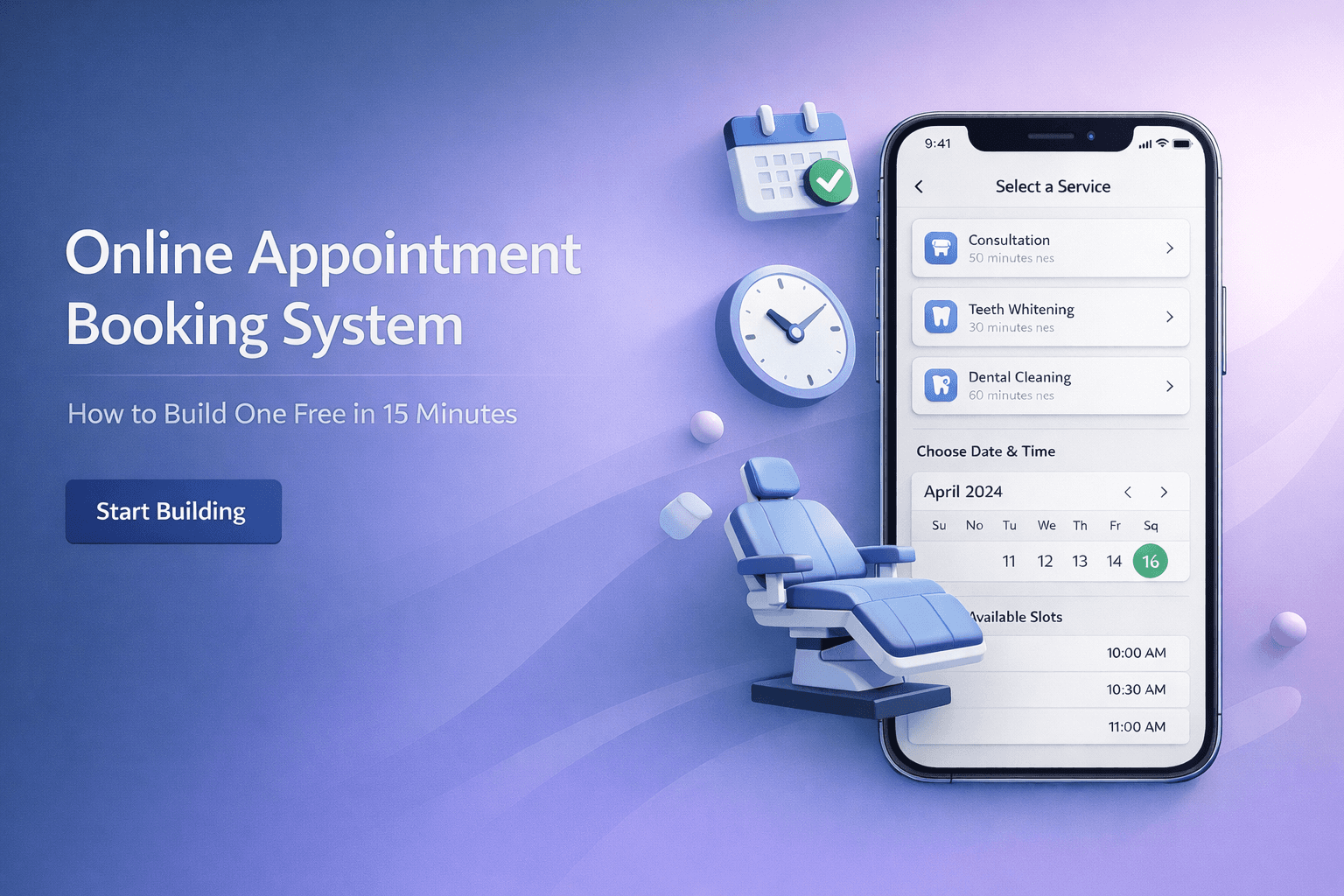
Online Appointment Booking System: How to Build One Free in 15 Minutes
Team Qwikbuild
Jan 19, 2026
TL;DR
An online appointment booking system lets clients schedule appointments themselves, 24/7, from their phones. Businesses using one see 27-120% more bookings, 29-90% fewer no-shows, and save 8+ hours weekly on admin work. You don't need technical skills to set one up—several tools let you build a booking page in under 15 minutes, including QwikBuild, which creates a custom booking system from a simple WhatsApp conversation.
You're losing clients right now. Not because your service is bad, but because 40% of people try to book appointments after you've closed for the day. They message you at 10 PM, don't hear back until morning, and book with someone else who had online scheduling.
An online appointment booking system fixes this. It's a page where clients see your availability and book a slot themselves—no phone calls, no back-and-forth messages, no missed opportunities.
What Is an Online Appointment Booking System?
An online appointment booking system is a digital tool that displays your available time slots and lets clients book directly. Think of it as a self-service counter that works while you sleep.
Here's how it typically works: You set your working hours and service types. The system shows available slots on a calendar. Clients pick a time, enter their details, and confirm. Both of you get notifications. The appointment appears on your calendar automatically.
Most systems also send automated reminders before the appointment, which dramatically cuts no-shows. Research published in Frontiers in Digital Health (2025) found that online-booked appointments had a no-show rate of just 1.8%, compared to 5.9% for phone-booked appointments.
Why Does Your Business Need an Appointment Booking Page?
How many clients are you losing to competitors with online booking?
94% of people say they're more likely to choose a service provider that offers online booking over one that doesn't. That's not a typo. Nearly everyone prefers booking online.
A tax consultant in Pune handling seasonal rushes can't afford to miss calls during March. A physiotherapist running a private clinic in Bangalore loses patients when they can't book a session at 11 PM after work. A makeup artist doing bridal bookings misses inquiries when she's already on assignment.
The pattern is clear: if you're not available to take bookings when clients want to make them, someone else will be.
What percentage of bookings happen outside business hours?
Zocdoc's 2024 patient behavior analysis revealed that 42% of all appointments are booked outside standard business hours. Other research puts this figure at 40%.
Mental health consultations, urgent care, dermatology, and primary care lead in after-hours booking demand. But this applies to every service business—salons, tutors, lawyers, accountants, fitness trainers.
Working professionals can't call during business hours. They're in meetings, commuting, or managing their own work. Parents wait until kids are asleep. Shift workers finishing at 11 PM need to book before they crash.
If your booking method requires you to be awake and available, you're capturing at most 60% of potential appointments.
How much time do you spend on scheduling admin?
Calendly's 2024 State of Meetings Report found that 43% of professionals spend at least three hours a week just scheduling meetings. That's three hours of phone tag, back-and-forth messages, and calendar juggling.
For a solo-practice lawyer or an independent CA handling multiple clients, three hours weekly is significant. Online booking systems save businesses over 8 hours per week on scheduling admin, according to industry research. Some service businesses report saving 15-20 hours weekly after implementation.
A tuition teacher in Chennai managing 30 students doesn't need to spend evenings coordinating class schedules. A yoga instructor in Delhi offering online and offline classes doesn't need to reply to "are you free at 6 PM?" messages all day.
The math is simple: hours saved on admin = hours available for paid work or rest.
How Much Does an Appointment Booking System Cost?
Are there free options that actually work?
Yes. Several platforms offer functional free tiers:
Platform | Free Tier | Best For | Limitations |
1 event type | Consultants, coaches | Single calendar, basic features | |
1 user | Solo practitioners | Limited customization | |
Unlimited for individuals | Salons, personal services | Payment processing required | |
Google Calendar Appointment Scheduling | Basic booking | Anyone with Google Workspace | Requires Workspace subscription |
Free to start | Any small business | Custom-built per requirements |
The free tiers work well for businesses with straightforward needs: one person, one or two service types, basic scheduling.
When should you consider paid plans?
Paid plans (typically ₹500-₹3,000/month or $10-$50/month) make sense when you need:
Multiple staff members with separate calendars
Different service types with different durations
Payment collection at booking
Custom branding
Integration with other tools
SMS reminders (often extra)
For a dentist running a neighbourhood practice with two chairs and an assistant, paid features become necessary. For a freelance interior designer working solo, free might be enough.
What Features Matter Most for Small Businesses?
Which features reduce no-shows?
No-shows cost service businesses serious money. Studies show no-show rates ranging from 12% to 42% without intervention. Here's what actually helps:
Automated reminders: Systems that send SMS or email reminders 24-48 hours before appointments reduce no-shows by 29% or more. Some businesses report up to 90% reduction in no-shows with well-timed reminders.
Prepayment or deposits: Collecting payment at booking creates commitment. A mehendi artist handling wedding season rushes can require a 50% deposit to secure the slot.
Easy rescheduling: Letting clients reschedule themselves (instead of just not showing up) keeps the relationship intact. 70% of clients cancel less frequently when they can book and reschedule online.
Cancellation policies: Clear policies displayed during booking set expectations. Most businesses charge ₹500-₹2,000 (or $20-75) for no-shows after one free miss.
Which features increase bookings?
24/7 availability: Businesses offering round-the-clock online booking see 37% more bookings than those relying on phone calls during business hours.
Mobile-friendly booking pages: Over 70% of online bookings happen on mobile devices. If your booking page doesn't work well on phones, you're losing most potential clients.
Social media integration: 41% of bookings come from social media, primarily Instagram and Facebook. A "Book Now" button on your profile captures clients when they're already interested.
Multiple booking channels: Allow bookings from your website, Google Business Profile, WhatsApp, and social media. More entry points = more bookings.
Which features save the most time?
Calendar sync: Automatic syncing with Google Calendar or Outlook prevents double-bookings and eliminates manual entry.
Client self-service: Let clients reschedule and cancel themselves. A pest control service owner doesn't need to take calls to move appointments around.
Automated confirmations: Instant booking confirmations via email and SMS without any action from you.
Intake forms: Collecting client information at booking (service needed, special requirements, contact details) means you're prepared before they arrive.
How Do You Choose the Right Booking System?
What type of business are you?
Different tools suit different needs:
Healthcare and wellness (physiotherapists, dentists, dietitians, mental health counselors):
Need HIPAA/data compliance
Benefit from intake forms for health history
Require clear cancellation policies
Beauty and grooming (salons, makeup artists, barbers):
Need service menus with different durations
Benefit from staff scheduling if multiple employees
Photo portfolios help
Professional services (lawyers, CAs, consultants):
Need professional appearance
Benefit from payment integration
Calendar sync with Outlook/Google is important
Education and coaching (tutors, music instructors, career coaches):
Need recurring appointment options
Benefit from group booking for classes
Video integration for online sessions
Home services (pest control, car detailing, pet grooming):
Need location/address collection
Benefit from job management features
Route planning helps with multiple appointments
What's your technical comfort level?
Be honest here. Options range from:
Very technical: Build your own using code or complex platforms
Somewhat technical: Platforms like Calendly, Acuity, or SimplyBook that require some setup but have good documentation
Not technical at all: Tools like QwikBuild where you describe what you need in plain language (via WhatsApp) and get a custom booking system built for you, or Square Appointments with minimal setup
If setting up software feels intimidating, don't force yourself into a complex platform. The best system is one you'll actually use.
How Do You Set Up an Appointment Booking System?
Option 1: Use a standard scheduling platform
This works for straightforward needs.
Step 1: Sign up for a platform Calendly, Zoho Bookings, or Square Appointments all have free tiers.
Step 2: Set your availability Define your working hours, break times, and days off. Be realistic—don't mark yourself available for 12 hours if you can only handle 6.
Step 3: Create service types Add each service you offer with its duration and price. A salon might have "Haircut (30 min) - ₹500" and "Hair Colour (90 min) - ₹2,000."
Step 4: Configure reminders Set up email or SMS reminders at 24 hours and 2 hours before appointments. This single step dramatically reduces no-shows.
Step 5: Share your booking link Add it to your Instagram bio, WhatsApp status, website, and Google Business Profile. Make it easy to find.
Time required: 30-60 minutes for basic setup.
Option 2: Have a custom booking system built for you
This works when you need something specific or don't want to deal with setup.
QwikBuild is one option here. You describe what you need over WhatsApp—your services, timing preferences, any special requirements—and QB builds a custom booking system for your business.
For example, a wedding photographer could say: "I need a booking page for wedding photography. Packages are ₹50,000 for 4 hours and ₹80,000 for full day. Clients should see my portfolio before booking and pay 25% advance to confirm."
QB would build exactly that—a branded booking page with portfolio, package selection, and advance payment collection.
This approach works well if:
You have specific requirements that standard templates don't cover
You don't have time to learn new software
You primarily use your phone (not computer) for work
You want a booking system that matches your exact workflow
Time required: 15 minutes to describe what you need, then you receive a working booking page.
Option 3: Integrate booking into your existing website
If you already have a website, most scheduling tools can embed a booking widget directly.
Calendly, Acuity, and others provide embed codes you paste into your site. This keeps clients on your website while giving them full booking functionality.
For WordPress sites, Zoho Bookings and SimplyBook have dedicated plugins.
What Results Can You Expect?
Revenue impact
The numbers are consistent across studies:
Businesses using online booking systems see an average 27% revenue increase
Some local businesses report up to 120% increase in bookings
24/7 availability captures 40% of bookings that would otherwise be missed
Physicians offering online appointments get booked 24% more than those offering phone appointments only
For a career coach charging ₹5,000 per session doing 20 sessions monthly, a 27% increase means ₹27,000 more monthly revenue—₹3.24 lakh annually from just having online booking.
Time savings
8+ hours weekly saved on scheduling admin (industry average)
15-20 hours weekly for service businesses with multiple appointments daily
50-80% reduction in scheduling-related phone calls
Staff redirected to revenue-generating activities
A personal trainer managing 40 clients no longer spends evenings coordinating schedules via WhatsApp messages.
No-show reduction
29% reduction in no-shows with automated reminders
Up to 90% reduction with well-timed SMS reminders
Online-booked appointments show 1.8% no-show rate vs 5.9% for phone bookings
25-35% decrease in no-shows across studies
For a dental practice seeing 20 patients daily at ₹1,500 average, reducing no-shows from 15% to 5% saves ₹15,000 daily—₹39 lakh annually.
Common Mistakes to Avoid
Mistake 1: Setting too much availability
Don't mark yourself available every waking hour. Build in buffer time between appointments, lunch breaks, and admin time. Over-scheduling leads to burnout and poor service.
Mistake 2: Skipping reminders
Reminders aren't optional. Research consistently shows they cut no-shows by 29% or more. If your platform doesn't include SMS reminders, pay for them. The ROI is immediate.
Mistake 3: Hiding your booking link
Your booking link should be everywhere: Instagram bio, WhatsApp status, email signature, business cards, Google Business Profile. 87% of potential clients who reach voicemail don't leave a message or book. Don't make them search.
Mistake 4: Ignoring mobile experience
68% of bookings happen on mobile devices. Test your booking page on your phone. If it requires pinching, zooming, or excessive scrolling, clients will leave.
Mistake 5: Not collecting deposits for high-value services
A bridal makeup artist losing a ₹50,000 booking to a no-show is a serious loss. Collect deposits for services above a certain value. Most clients understand and expect this.
Frequently Asked Questions
What is an appointment booking system?
An appointment booking system is software that displays your available time slots and lets clients book appointments themselves, without calling or messaging you.
How does online appointment scheduling work?
You set your available hours and services. Clients view a calendar, select a time slot, enter their details, and confirm. Both parties receive notifications, and the appointment syncs to your calendar automatically.
Is online booking better than phone booking?
For most businesses, yes. Online booking captures 40% of appointments that happen after hours, reduces no-shows by 29%+, and saves 8+ hours weekly on admin. 70% of consumers prefer booking online rather than calling.
How much does appointment booking software cost?
Free tiers exist on most platforms and work for basic needs. Paid plans typically cost ₹500-₹3,000/month ($10-$50/month) and add features like multiple staff, payment collection, and SMS reminders.
Which is the best free appointment scheduling software?
Calendly for simplicity, Square Appointments for free unlimited bookings for individuals, Zoho Bookings for integration with other business tools.
Can I accept payments through a booking system?
Yes. Most platforms integrate with Razorpay, Stripe, PayPal, or Instamojo. You can collect full payment or deposits at booking.
How do I reduce appointment no-shows?
Use automated reminders (24 hours and 2 hours before), collect deposits for valuable services, enable easy rescheduling, and implement clear cancellation policies.
Can clients reschedule or cancel online?
With most systems, yes. Self-service rescheduling reduces no-shows because clients can change times instead of just not showing up.
Does online booking work for service businesses without websites?
Absolutely. Platforms provide a booking link you can share anywhere—WhatsApp, Instagram, Facebook, or printed materials. No website required.
How do I add booking to my Instagram or Facebook page?
Most scheduling platforms provide a "Book Now" button you can add to your social profiles. Link your booking page URL in your bio or use platform-specific integrations.
What information should I collect when clients book?
Name, phone number, email, service type, and any specific requirements for the appointment. Keep it minimal—too many fields and clients abandon the booking.
How long does it take to set up a booking system?
Standard platforms take 30-60 minutes for basic setup. Custom-built solutions like QwikBuild can be ready in 15 minutes since you just describe what you need.
Can I sync my booking system with Google Calendar?
Yes. All major platforms offer calendar sync with Google Calendar, Outlook, and Apple Calendar. This prevents double-bookings and keeps everything in one place.
Is appointment scheduling software secure?
Reputable platforms use encryption and comply with data protection regulations. For healthcare businesses, verify the platform meets relevant compliance requirements (like HIPAA for US practices).
What's the difference between Calendly and Acuity?
Calendly is simpler with a cleaner interface, better for consultants and professionals. Acuity offers more customization for service businesses like salons, with features like intake forms, packages, and memberships.
Can I use booking software if I have multiple staff members?
Yes, but you'll likely need a paid plan. Most free tiers support only one calendar. Paid plans let each staff member have their own schedule and availability.
How do automated appointment reminders work?
The system sends email or SMS messages at times you specify (e.g., 24 hours and 2 hours before). Messages typically include appointment details and options to confirm, reschedule, or cancel.
What if I need custom features not available in standard tools?
QwikBuild builds custom booking systems based on exactly what you describe. You're not limited to templates—if you can describe what you need, it can be built.
Should I require deposits for appointments?
For high-value services (above ₹2,000-₹5,000), deposits reduce no-shows significantly. For lower-value services, optional. Match your policy to what's standard in your industry.
How do I get clients to start using online booking?
Share the link everywhere, mention it on calls ("You can also book directly at..."), and consider small incentives for first online bookings. Most clients prefer it once they try it.
The Bottom Line
Every day you operate without online booking, you lose appointments to competitors who have it. 40% of booking attempts happen after you've closed. 70% of clients prefer booking online. Businesses with online scheduling see 27-120% more bookings.
The setup isn't hard. Free options exist for basic needs. For custom requirements, tools like QwikBuild build exactly what you need from a simple conversation.
Pick one approach, set it up this week, and start capturing the appointments you've been missing.
Want to build this for your business?
With QwikBuild, you just describe what you need over WhatsApp—in text, voice note, or even by sharing a screenshot—and get a custom booking system built for you. No technical skills required, works entirely from your phone.